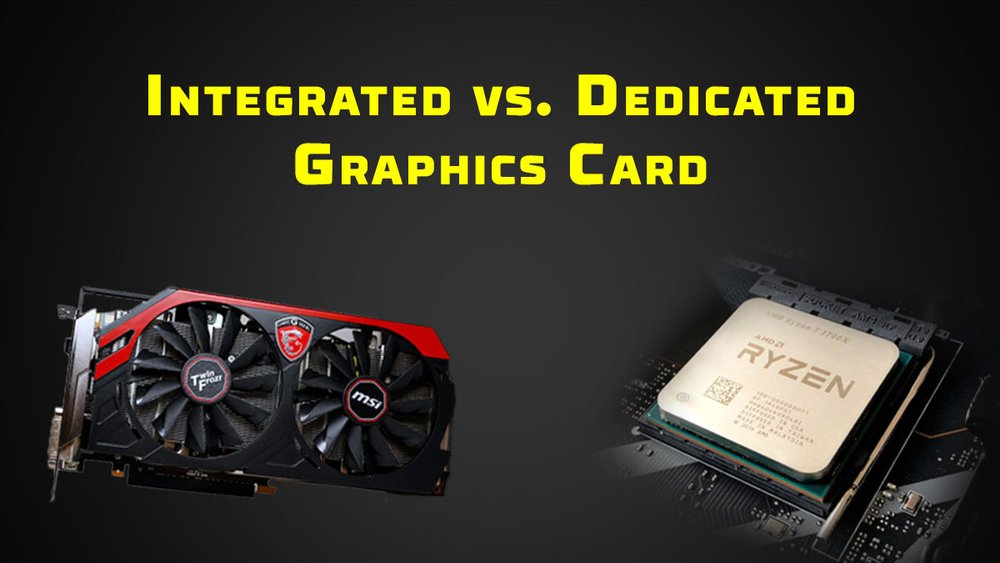
Integrated vs. Dedicated Graphics: Choosing the Right Visual Power for Your Needs
In the world of computers, the ability to display images, videos, and other visual content is fundamental. But have you ever wondered what component is responsible for this crucial task? The answer lies in the graphics processing unit (GPU), which comes in two main forms: integrated and dedicated (also known as discrete). Understanding the differences between these two types is vital for making informed decisions when purchasing a computer, whether for basic tasks, gaming, content creation, or professional applications.
What are Integrated Graphics?
Integrated graphics, as the name suggests, are GPUs that are built directly into the computer’s central processing unit (CPU) or motherboard. They share the system’s RAM (random access memory) for graphics processing and do not have their own dedicated memory. This design is common in laptops, entry-level desktops, and devices where cost and power efficiency are priorities.
Advantages of Integrated Graphics:
- Cost-Effectiveness: Integrated graphics solutions are significantly cheaper than dedicated GPUs. This makes them an attractive option for budget-conscious consumers.
- Power Efficiency: Integrated GPUs consume less power, which translates to longer battery life in laptops and lower electricity bills for desktops.
- Compact Size: Since they are integrated into the CPU or motherboard, they don’t require additional space, allowing for smaller and lighter devices.
- Simplicity: Integrated graphics are generally easier to manage, as they don’t require separate driver installations or complex configurations.
- Adequate for Basic Tasks: For everyday tasks like browsing the web, word processing, watching videos, and basic photo editing, integrated graphics perform adequately.
Disadvantages of Integrated Graphics:
- Limited Performance: Integrated graphics have significantly lower processing power compared to dedicated GPUs. They struggle with demanding tasks like gaming, video editing, 3D rendering, and running complex software.
- Shared Memory: Sharing system RAM can slow down overall system performance, especially when running multiple applications simultaneously or when the system has limited RAM.
- Lower Image Quality: Integrated graphics may produce lower image quality, especially in games and other graphically intensive applications.
- Limited Upgradeability: Integrated graphics cannot be upgraded independently. If you need more graphics power, you would typically need to replace the entire CPU or motherboard.
- Not Suitable for Modern Gaming: Modern games often require high levels of graphical processing power, making integrated graphics unsuitable for most gamers.
What are Dedicated Graphics?
Dedicated graphics, on the other hand, are standalone GPUs with their own dedicated memory (VRAM – video RAM) and processing power. They are typically installed in a separate expansion slot on the motherboard and are designed for high-performance graphics processing.
Advantages of Dedicated Graphics:
- High Performance: Dedicated GPUs offer significantly higher processing power compared to integrated graphics. They can handle demanding tasks like gaming, video editing, 3D rendering, and running complex software with ease.
- Dedicated Memory: Having dedicated VRAM ensures that the GPU has enough memory to store textures, models, and other graphical data without impacting system RAM.
- Better Image Quality: Dedicated GPUs produce higher image quality, with smoother textures, more detailed models, and more realistic effects.
- Upgradeability: Dedicated GPUs can be upgraded independently, allowing you to improve your graphics performance without replacing other components.
- Support for Advanced Features: Dedicated GPUs often support advanced features like ray tracing, DLSS (Deep Learning Super Sampling), and variable refresh rate technologies, which enhance the visual experience.
Disadvantages of Dedicated Graphics:
- Higher Cost: Dedicated GPUs are significantly more expensive than integrated graphics.
- Higher Power Consumption: Dedicated GPUs consume more power, which can reduce battery life in laptops and increase electricity bills for desktops.
- Larger Size: Dedicated GPUs require more space, which can make laptops bulkier and limit the number of expansion slots available in desktops.
- More Complex: Dedicated GPUs require separate driver installations and may require more complex configurations.
- Overkill for Basic Tasks: For basic tasks like browsing the web and word processing, a dedicated GPU is often overkill and may not provide any noticeable benefit.
Key Differences at a Glance:
| Feature | Integrated Graphics | Dedicated Graphics |
|---|---|---|
| Cost | Lower | Higher |
| Performance | Lower | Higher |
| Power Consumption | Lower | Higher |
| Memory | Shares system RAM | Dedicated VRAM |
| Size | Smaller | Larger |
| Upgradeability | Limited | High |
| Best For | Basic tasks, budget-conscious users | Gaming, content creation, demanding tasks |
Choosing the Right Option:
The choice between integrated and dedicated graphics depends on your specific needs and budget.
-
For Basic Users: If you primarily use your computer for basic tasks like browsing the web, word processing, watching videos, and light photo editing, integrated graphics are likely sufficient. They offer a cost-effective and power-efficient solution for everyday computing needs.
-
For Gamers: If you’re a gamer, a dedicated GPU is essential for a smooth and enjoyable gaming experience. The higher processing power and dedicated memory will allow you to play modern games at higher resolutions and frame rates.
-
For Content Creators: If you’re a video editor, graphic designer, 3D artist, or other content creator, a dedicated GPU is highly recommended. It will significantly speed up rendering times, improve image quality, and allow you to work with complex projects more efficiently.
-
For Professionals: If you use your computer for professional applications like CAD (computer-aided design), scientific simulations, or data analysis, a dedicated GPU may be necessary to handle the demanding workloads.
Beyond the Basics: Hybrid Graphics
It’s worth mentioning a third option: hybrid graphics. This setup combines an integrated GPU for power-efficient tasks with a dedicated GPU that kicks in when more processing power is needed. This is most common in laptops, providing a balance between battery life and performance.
Future Trends
The landscape of graphics processing is constantly evolving. Integrated graphics are becoming more powerful, closing the performance gap with entry-level dedicated GPUs. At the same time, dedicated GPUs are becoming more efficient and feature-rich. Cloud gaming services are also emerging, allowing users to stream games to their devices without the need for a powerful local GPU.
Conclusion:
Understanding the differences between integrated and dedicated graphics is crucial for making informed decisions when purchasing a computer. Consider your specific needs, budget, and priorities when choosing the right option. Whether you’re a basic user, a gamer, a content creator, or a professional, there’s a graphics solution that’s right for you. By carefully evaluating your requirements, you can ensure that your computer provides the visual power you need to accomplish your tasks efficiently and effectively.