DDR5 RAM Compatible Motherboards: A Comprehensive Guide
As technology continues to evolve, the demand for faster and more efficient computing components grows exponentially. One of the most critical components in a computer system is the Random Access Memory (RAM), responsible for storing data that the CPU needs to access quickly. The latest advancement in RAM technology is DDR5, which promises significant improvements in speed, bandwidth, and power efficiency compared to its predecessor, DDR4.
However, upgrading to DDR5 RAM requires a compatible motherboard. This article provides a comprehensive guide to DDR5 RAM compatible motherboards, covering everything from understanding DDR5 technology to selecting the right motherboard for your needs.
Understanding DDR5 RAM Technology
DDR5 (Double Data Rate 5) is the latest generation of synchronous dynamic random-access memory (SDRAM). It offers several key improvements over DDR4, including:
- Increased Bandwidth: DDR5 doubles the bandwidth compared to DDR4, allowing for faster data transfer rates.
- Higher Capacity: DDR5 supports higher density memory chips, enabling larger RAM modules with capacities up to 128GB per module.
- Improved Power Efficiency: DDR5 operates at a lower voltage (1.1V) than DDR4 (1.2V), resulting in reduced power consumption and heat generation.
- Enhanced On-Die ECC: DDR5 incorporates on-die error correction code (ECC), which improves data reliability and stability.
- Independent Dual Subchannels: DDR5 modules feature two independent subchannels, which increases memory access efficiency and reduces latency.
Why Upgrade to DDR5 RAM?
Upgrading to DDR5 RAM offers several benefits, particularly for demanding applications such as gaming, content creation, and scientific simulations. The increased bandwidth and higher capacity of DDR5 RAM can significantly improve system performance, reduce loading times, and enable smoother multitasking.
For gamers, DDR5 RAM can lead to higher frame rates, smoother gameplay, and reduced stuttering, especially in graphically intensive games. Content creators can benefit from faster rendering times, smoother video editing, and improved performance in demanding applications like Adobe Premiere Pro and After Effects.
Chipset Compatibility
To use DDR5 RAM, you need a motherboard that supports it. Motherboard compatibility is determined by the chipset, which is the core logic that controls communication between the CPU, RAM, and other components.
As of 2023, the following chipsets support DDR5 RAM:
- Intel:
- 600 Series: Z690, H670, B660, H610
- 700 Series: Z790, H770, B760, H710
- AMD:
- 600 Series: X670E, X670, B650E, B650
It’s essential to check the motherboard specifications to confirm DDR5 support and the maximum supported RAM speed and capacity.
Factors to Consider When Choosing a DDR5 RAM Compatible Motherboard
When selecting a DDR5 RAM compatible motherboard, consider the following factors:
- CPU Compatibility: Ensure the motherboard supports your chosen CPU. Intel motherboards use different sockets than AMD motherboards, so you need to choose a motherboard that matches your CPU socket.
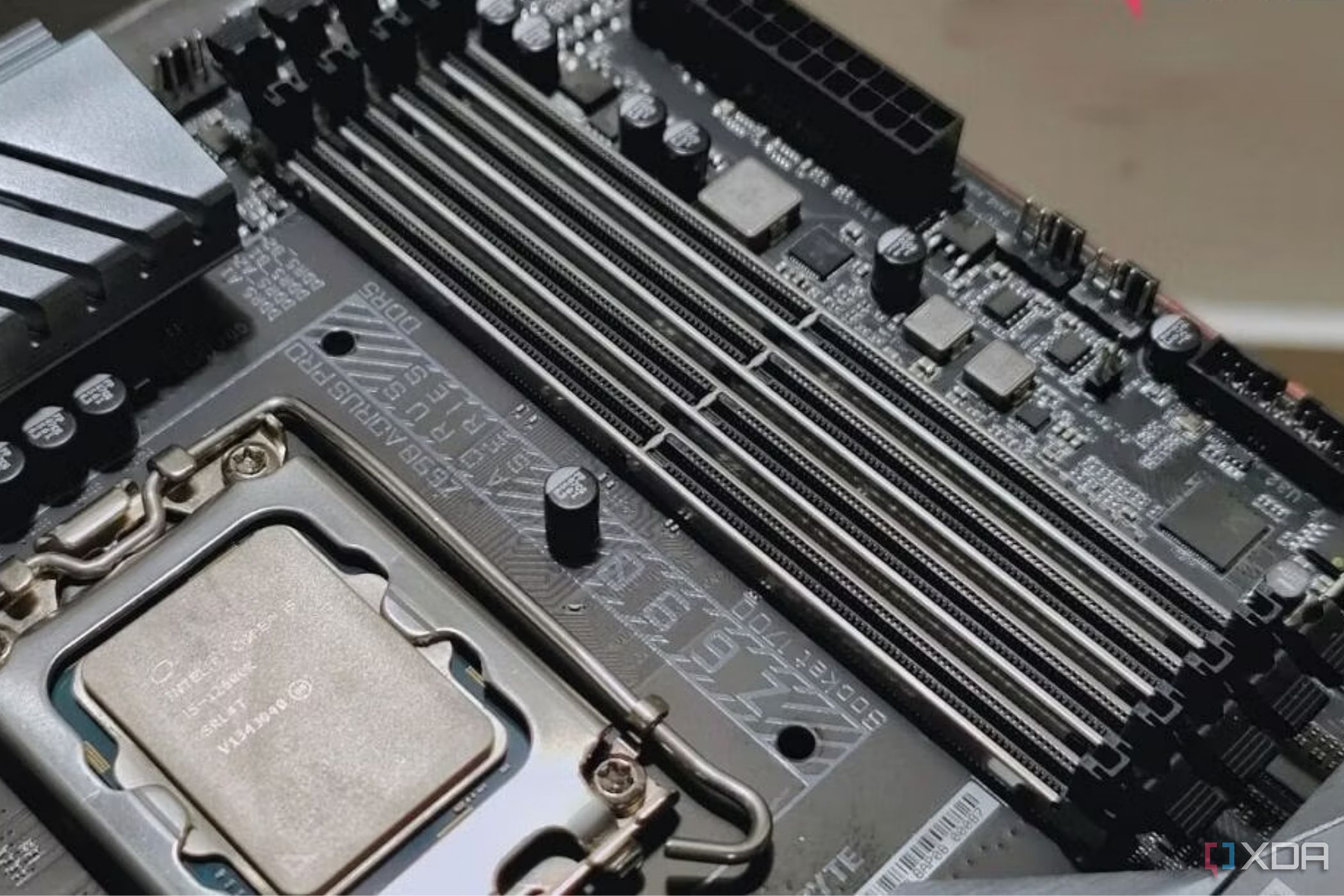
- RAM Slots: Consider the number of RAM slots on the motherboard. Most motherboards have four RAM slots, but some have only two. The number of RAM slots determines the maximum amount of RAM you can install.
- RAM Speed and Capacity: Check the motherboard’s specifications for the maximum supported RAM speed and capacity. Choose a motherboard that supports the speed and capacity of the DDR5 RAM you plan to use.
- Expansion Slots: Consider the number and type of expansion slots on the motherboard. Expansion slots allow you to add additional components, such as graphics cards, sound cards, and storage devices.
- Storage Options: Check the number and type of storage connectors on the motherboard. Most motherboards have multiple SATA ports for connecting traditional hard drives and SSDs, as well as M.2 slots for connecting NVMe SSDs.
- Connectivity: Consider the connectivity options on the motherboard, such as USB ports, Ethernet ports, and audio jacks. Choose a motherboard that has the connectivity options you need.
- Form Factor: Motherboards come in different form factors, such as ATX, Micro-ATX, and Mini-ITX. Choose a form factor that fits your case and meets your needs.
- Budget: Motherboard prices vary widely, so set a budget before you start shopping. Consider the features you need and choose a motherboard that offers the best value for your money.
Recommended DDR5 RAM Compatible Motherboards
Here are some recommended DDR5 RAM compatible motherboards for different CPU platforms and budgets:
- Intel:
- High-End: ASUS ROG Maximus Z790 Hero, MSI MPG Z790 Carbon WiFi
- Mid-Range: ASUS ROG Strix Z790-A Gaming WiFi, MSI MAG Z790 Tomahawk WiFi
- Budget: ASUS Prime B760M-A D4, MSI PRO B760M-A WiFi DDR4
- AMD:
- High-End: ASUS ROG Crosshair X670E Hero, MSI MEG X670E ACE
- Mid-Range: ASUS ROG Strix X670E-A Gaming WiFi, MSI MAG X670E Tomahawk WiFi
- Budget: ASUS Prime B650M-A WiFi, MSI PRO B650M-A WiFi
Tips for Installing DDR5 RAM
Installing DDR5 RAM is similar to installing DDR4 RAM, but there are a few key differences:
- Check Compatibility: Ensure the motherboard and RAM are compatible.
- Consult the Manual: Refer to the motherboard manual for the correct RAM slot configuration.
- Static Electricity: Ground yourself to prevent static electricity from damaging the components.
- Alignment: Align the notch on the RAM module with the notch on the RAM slot.
- Firm Pressure: Apply firm and even pressure to both ends of the RAM module until it clicks into place.
- Dual-Channel: Install RAM modules in pairs to take advantage of dual-channel memory.
Conclusion
DDR5 RAM offers significant improvements in speed, bandwidth, and power efficiency compared to DDR4. Upgrading to DDR5 RAM can significantly improve system performance, especially for demanding applications like gaming and content creation. However, upgrading to DDR5 RAM requires a compatible motherboard.
When choosing a DDR5 RAM compatible motherboard, consider factors such as CPU compatibility, RAM slots, RAM speed and capacity, expansion slots, storage options, connectivity, form factor, and budget. By carefully considering these factors, you can choose the right motherboard for your needs and enjoy the benefits of DDR5 RAM.
Disclaimer: This article provides general information and recommendations. It’s essential to consult the manufacturer’s specifications and documentation for the most accurate and up-to-date information.